Publish next week’s rota and let gaps self-heal
Running Jummah every week shouldn’t mean rebuilding the rota every week, or chasing people in a WhatsApp thread when someone drops out. Kadim does both for you.
Publish next week’s rota
- Sign in with your mosque account and open the rota board.
- Tap ⋯ (Rota actions), then “Publish next week’s rota.” Every rota-level action lives in that one sheet, so nothing fires by accident from the board itself. (On a phone the same action is also on the bar at the foot of the board, labelled Repeat.) A rota for the next Friday that doesn’t already have one appears in seconds, with the same roles, times, capacities and requirements, including any brothers/sisters restrictions and DBS-required roles.
- The new rota is published immediately: its claim link works the moment it exists.
You can’t accidentally publish two rotas for one Friday. Publish always schedules the next free week, and a double-tap or a slow connection can never stack a second rota on a Friday that already has one.
Or stop pressing the button altogether
If you find yourself tapping Publish next week’s rota every single week, tap Make this repeat in the same ⋯ sheet instead: Kadim turns the rota into a standing schedule that publishes itself every week and texts you a daily digest with the share link (see Make it repeat: a standing schedule that runs itself). The manual button keeps working either way.
Share it, your way
Sharing lives in the same ⋯ Rota actions sheet, split into separate actions so nothing happens by surprise:
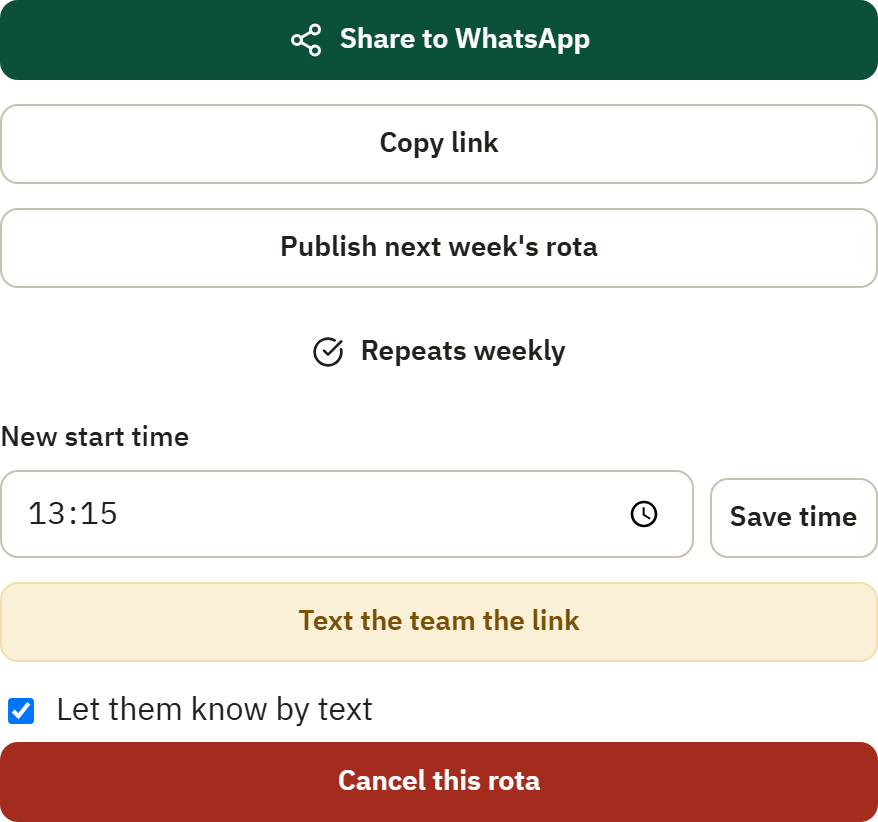
- Share to WhatsApp opens your group with the call and link pre-filled. One tap and the rota is in the thread. This texts nobody.
- Copy link puts the full claim link on your clipboard to paste anywhere.
- Text the team the link is the one action that sends SMS: it texts every volunteer on your team the claim link. It asks you to confirm first (it costs a message per person) and can’t be re-tapped mid-send. Anyone whose number has texts stopped is skipped and the confirmation tells you how many, so the “texted” count is always the truth.
Volunteers claim from the link exactly as before (see Claim a slot from a shared link). Watch the board fill: the title strip at the top counts N of M filled, live.
When someone drops out, do nothing
If a volunteer drops a slot close to the day (within 48 hours of the slot’s start), Kadim handles it:
- the slot reopens on the roster immediately,
- your team is texted automatically with the claim link. You send nothing, chase nobody,
- the first person to tap claims it, and the board is whole again.
A volunteer who dropped is never sent the reminder for the slot they gave up. Reminders always go to whoever actually holds the slot.
When someone asks you to stop the texts
Kadim sends from a sender name rather than a phone number, so a volunteer cannot stop the texts by replying to one. They have to ask you, and when they do, it is their right: please just do it, without asking why.
Two steps end the texts completely:
- Remove them from the team (Team, open their row, Remove Volunteer). That ends the broadcasts, gap alerts, call-outs, duty messages and thank-yous.
- Release any slots they still hold. A slot reminder is booked when the slot is claimed, so it only stops when the claim goes.
They can come back whenever they like by claiming from the share link again, and the link you post in the WhatsApp group works for them in the meantime.
Kadim also carries a quiet “Not reachable by text” mark on the Team row and the duty board, and skips those people in every broadcast and nudge so the counts you see are the honest reach. That mark is driven by a texted STOP, which nobody can send while the texts come from a sender name, so you will not see it today.
Good to know
- Who gets the broadcast and nudges: volunteers with a membership at your mosque who have a mobile number on record, minus anyone whose number has texts stopped (see above).
- Publishing twice is safe: each tap schedules the next free Friday for this rota, never a duplicate of a week it already covers. Repeat follows the rota’s name, so if your site runs two Jummahs in separate halls, each one repeats on its own without either standing in the other’s way.
- Your role matters: only coordinators can publish and share rotas. Trustees and volunteers see their own views.
Questions? Email support@kadim.co.uk .